




The short answer
To check your phone model, open Settings and tap About phone (or About device). The model name is near the top. On an iPhone, go to Settings, then General, then About. Use the model name, not the device name, which anyone can change.
To check your phone model, open Settings and tap About phone (on some phones it says About device). The model name is listed near the top. On an iPhone, go to Settings, then General, then About. It takes less than a minute, and it is the one thing you need right before buying a phone cover, a screen guard or a spare charger.
We make flip covers for 570+ phone models, and one of the most common reasons a cover comes back to us is that it was ordered for a phone with almost the same name. A Note 15 and a Note 15 Pro are two different phones. So are a Realme 16 Pro and a 16 Pro+. Below are the exact steps for each brand, plus the one mistake that catches most people.
The 20-second mobile model check on any Android phone
Settings
›
About phone
›
Model name
Can't find About phone? Type "model" in the search bar at the top of Settings. Every recent Android phone has that search bar.
How to check phone model on each brand
Menu names shift a little between software versions, but the model always sits in the About section. The code in the corner is the internal model number some phones show instead of, or below, the name.
Samsung
SM-xxxx
Settings›About phone
The top of the screen shows the model name, for example Galaxy A37 5G, with the model number (starting SM-) below it. Older phones say About device.
Vivo
V2xxx
Settings›About phone
Look for the model name, such as vivo Y400 5G. The short code starting with V is the internal number for the same phone.
Oppo
CPHxxxx
Settings›About device
The model name, such as OPPO A6 Pro 5G, is at the top. The code starting with CPH is the model number.
Redmi, Xiaomi, Poco
long code
Settings›About phone
Look for the model or device model line. Check the full name, not just the series: Redmi Note 15 5G and Redmi Note 15 Pro 5G need different covers.
Realme
RMXxxxx
Settings›About device
The model name is listed with an RMX code below it. On some versions the menu is called About phone.
iPhone
Axxxx
Settings›General›About
Model Name shows the phone, for example iPhone 15. Tap Model Number once and it changes to a short code starting with A.
Have a OnePlus, Motorola or iQOO? The path is the same Settings › About phone. See our OnePlus, Motorola and iQOO covers.
Device name or model name: which one do you need?
This is the mistake behind a lot of wrong orders. The About screen often shows a device name first, and anyone can change it.
Device name: ignore it
Rahul's phone
A label you or the shop typed in. It is used for Bluetooth and hotspot, and it tells you nothing about the size or camera of the phone.
Model name: use this
Galaxy A37 5G
Fixed by the maker. This is the name to search for. On our site the word Galaxy is left out, so search "Samsung A37 5G".
Phones with almost the same name need different covers
Read the full model name, including Pro, Plus, 4G or 5G. Each of these pairs has its own cover:
Redmi Note 15 5G vs Redmi Note 15 Pro 5G
One word apart, two different phones.
Realme 16 Pro vs Realme 16 Pro+
The Pro+ is a separate phone with its own cover.
Samsung A37 vs Samsung A57
Same family, different phones. Check the two digits after the A.
Samsung A17, F17 and M17
Three letters, three names. We explain which cover goes on which.
How to check the model if the phone won't switch on
The box
The model name and number are printed on a sticker on the side or back of the box.
The bill
The shop bill or the online order email names the exact model you bought.
iPhone SIM tray
On iPhone 8 and later, the A-number is printed inside the SIM tray slot.
Found your model? Here is the cover
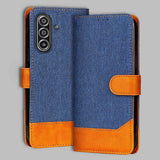
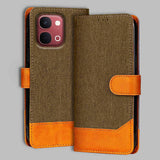
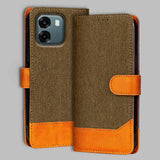
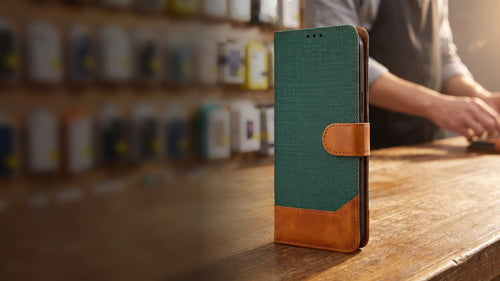
Search your model name in the search bar at the top of our site, or pick your brand above. Every model has the same wallet flip cover: denim in Graphite Grey, Camel Beige, Walnut Brown or Midnight Blue, or Forest Green chambray, all with tan PU leather trim, 3 card slots and a cash pocket. Most models cost ₹599 in denim and ₹699 in Forest Green, with free shipping across India, and Cash on Delivery is free on most PIN codes. Not sure if you want a flip cover at all? Read flip cover vs back cover first.
Frequently asked questions
How do I check my phone model?
Open Settings and tap About phone or About device. The model name is near the top. On an iPhone, go to Settings › General › About and look at Model Name.
How to know my phone model without opening settings?
Check the phone's box, the purchase bill or the order email. On an iPhone 8 or later, the model number is printed inside the SIM tray slot.
How to check iPhone model number?
Go to Settings › General › About. Tap Model Number once and it switches to a code starting with A, which identifies the exact iPhone.
How to check Oppo model?
Settings › About device. The model name is at the top, and the model number starts with CPH.
How to check Vivo model?
Settings › About phone. You will see the model name, such as vivo Y400 5G, and an internal number starting with V.
How to check Samsung model number?
Settings › About phone. The model number starts with SM- and sits under the model name.
Is the device name the same as the phone model name?
No. The device name is a label anyone can change, like "Rahul's phone". Always use the model name when you buy a cover.
Find your phone's flip cover
Denim & leather flip covers for 570+ models. Free shipping and free COD across India.
Shop flip covers

Get the next guide first
Care tips and buying guides for your phone — no spam.
